
Need to change or cancel? Here's exactly how to do it.
To switch plans:
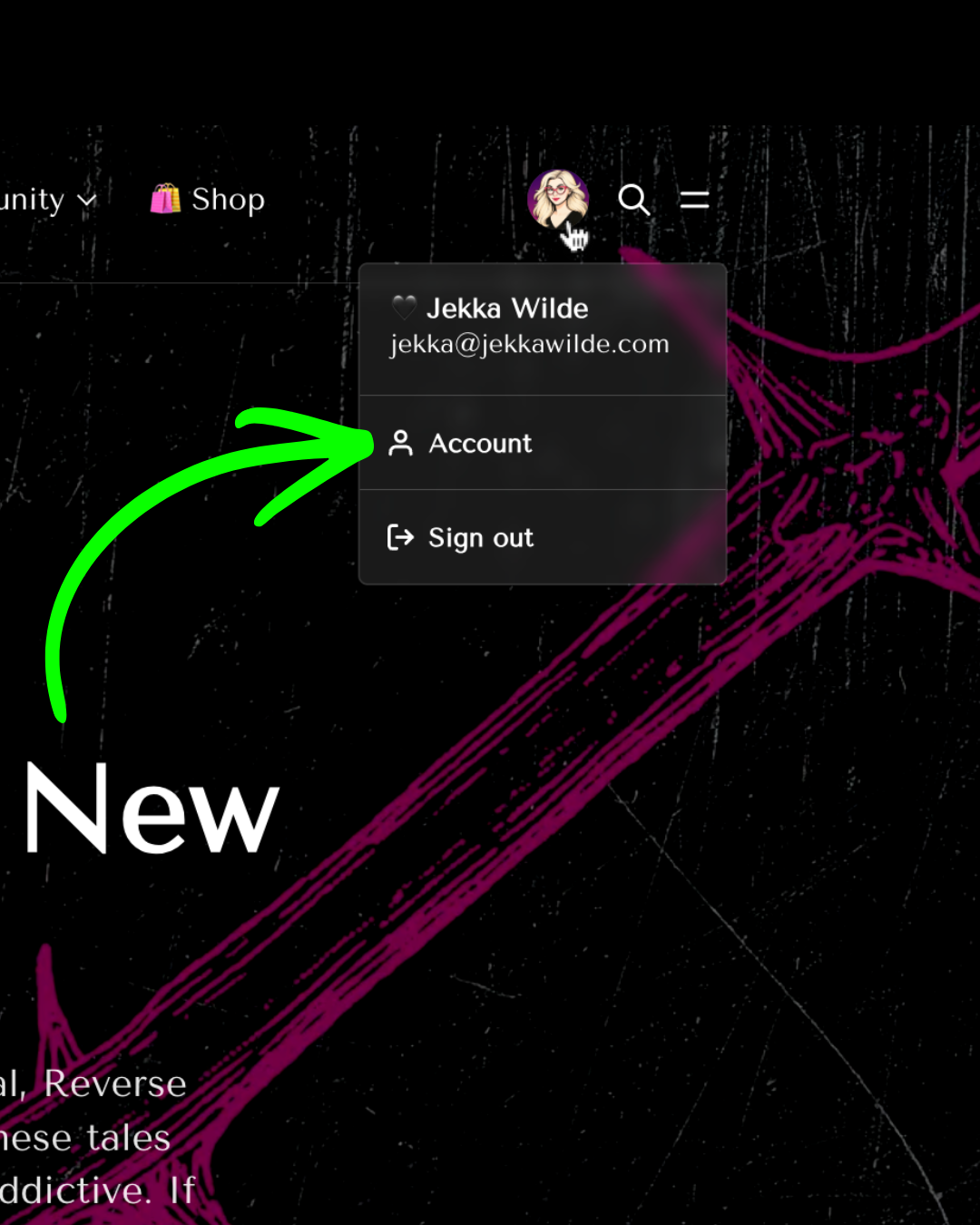
1. Go to thewildekingdom.com and sign in.
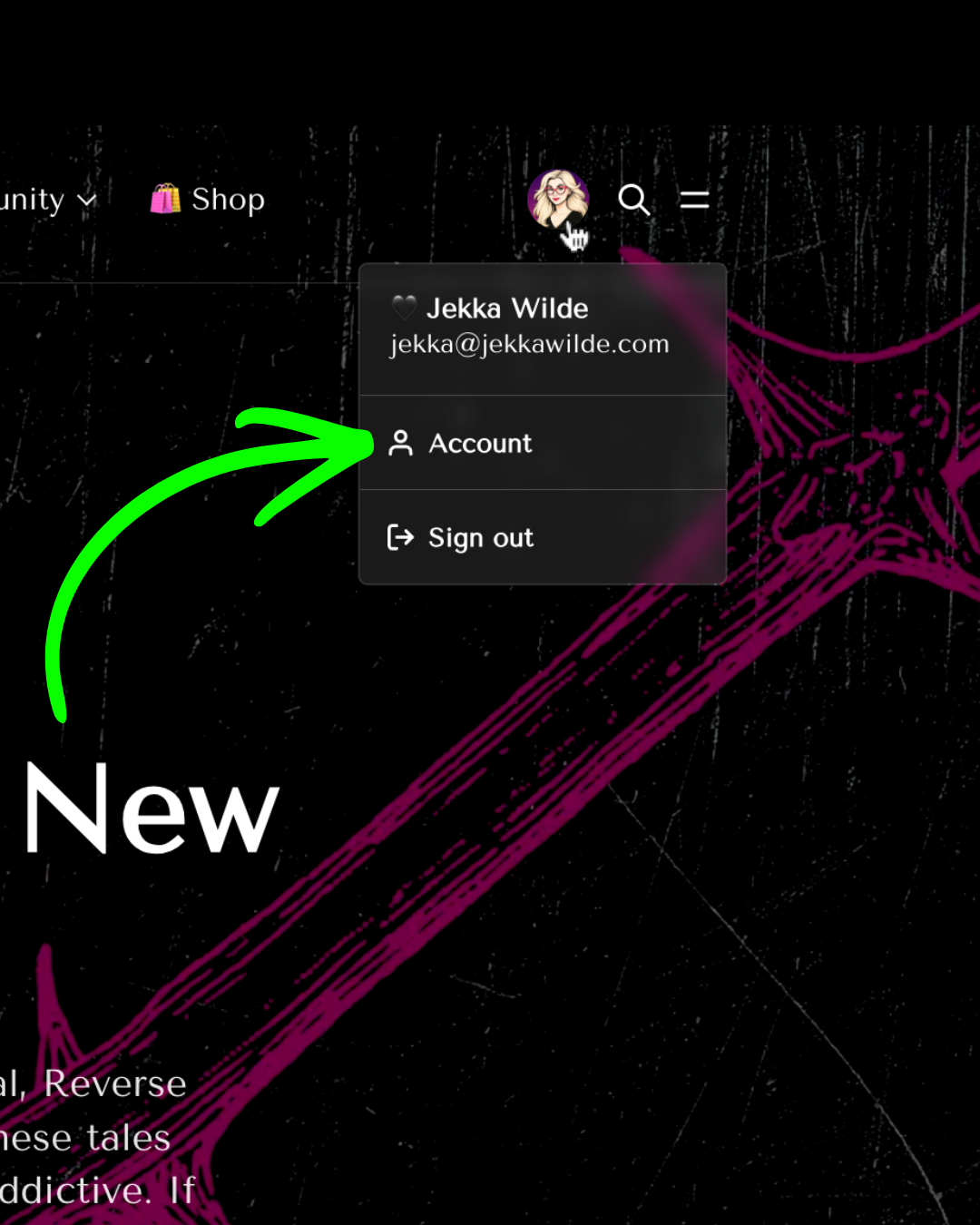
2. Click your profile picture, top right.
3. Click Account.
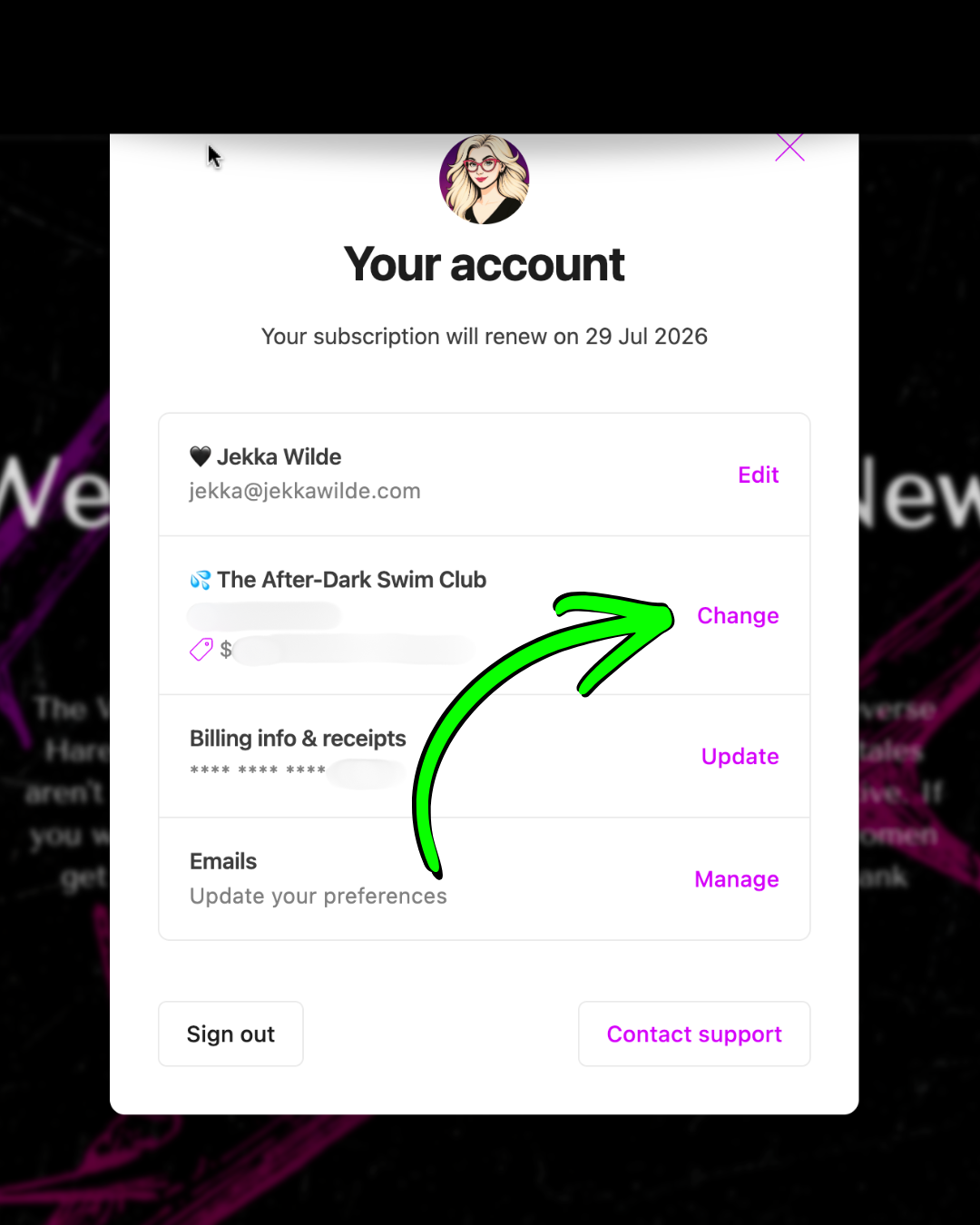
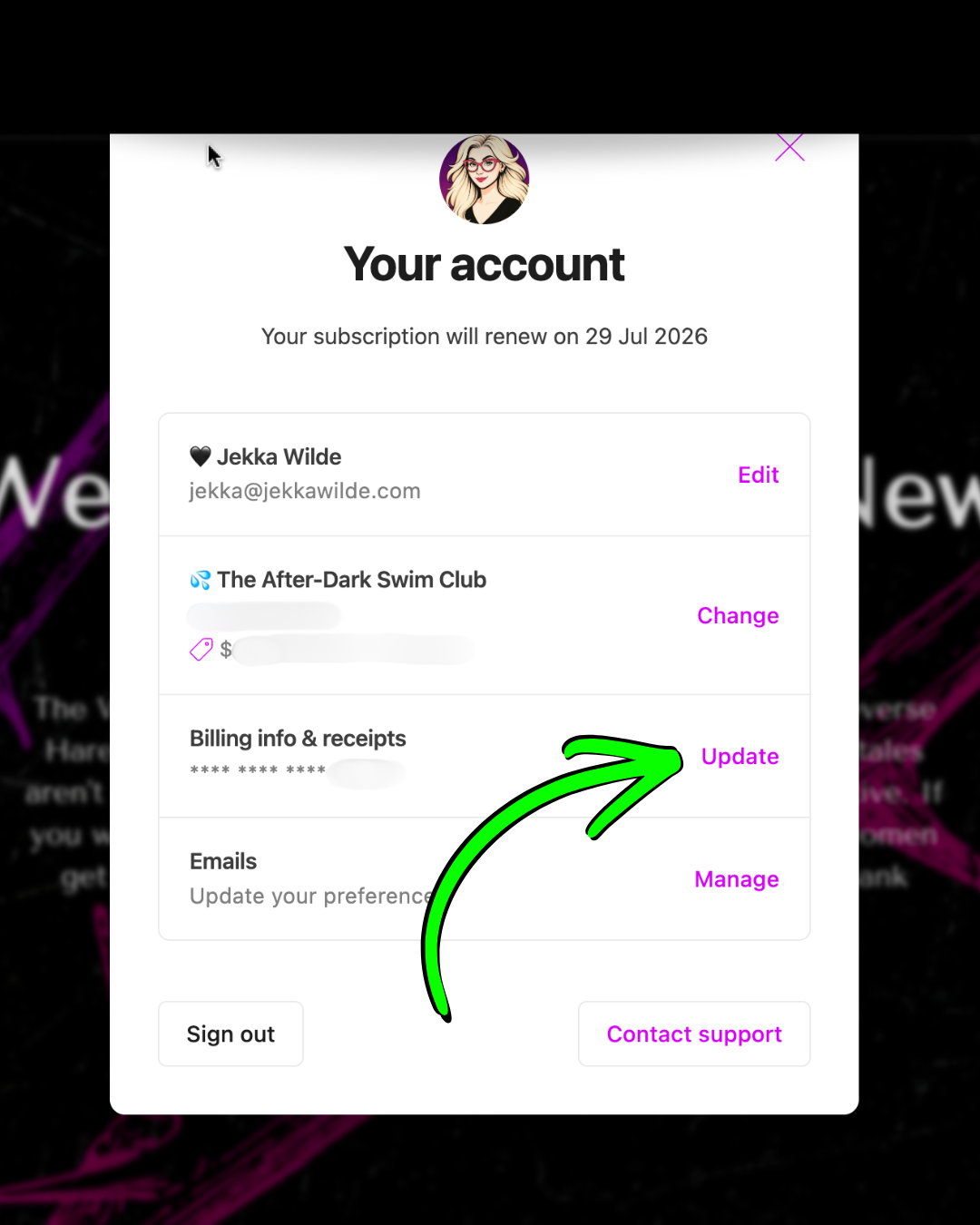
- Next to your membership plan, click Change.
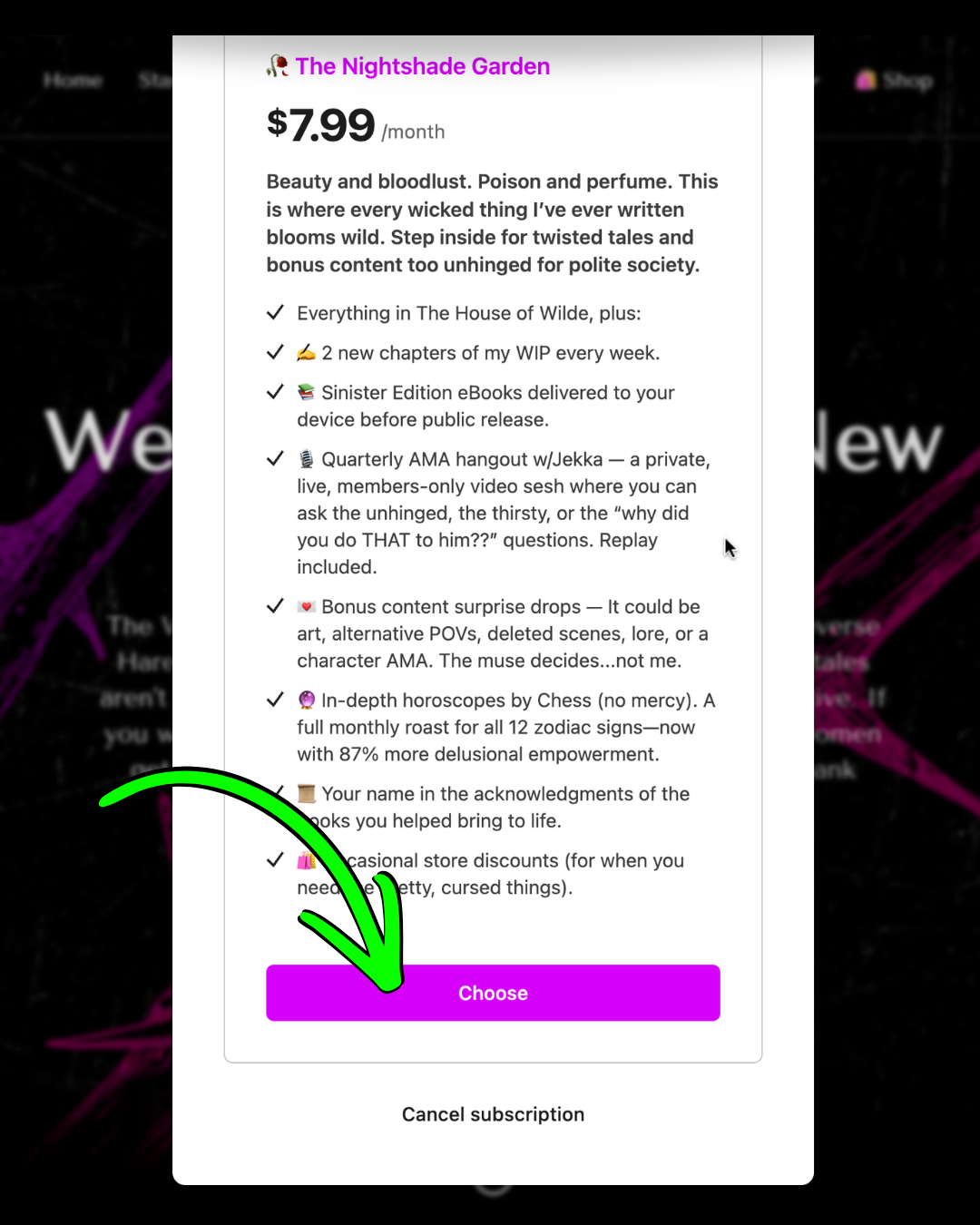
- Now choose your adventure. 😉 Click Choose under the plan you want.
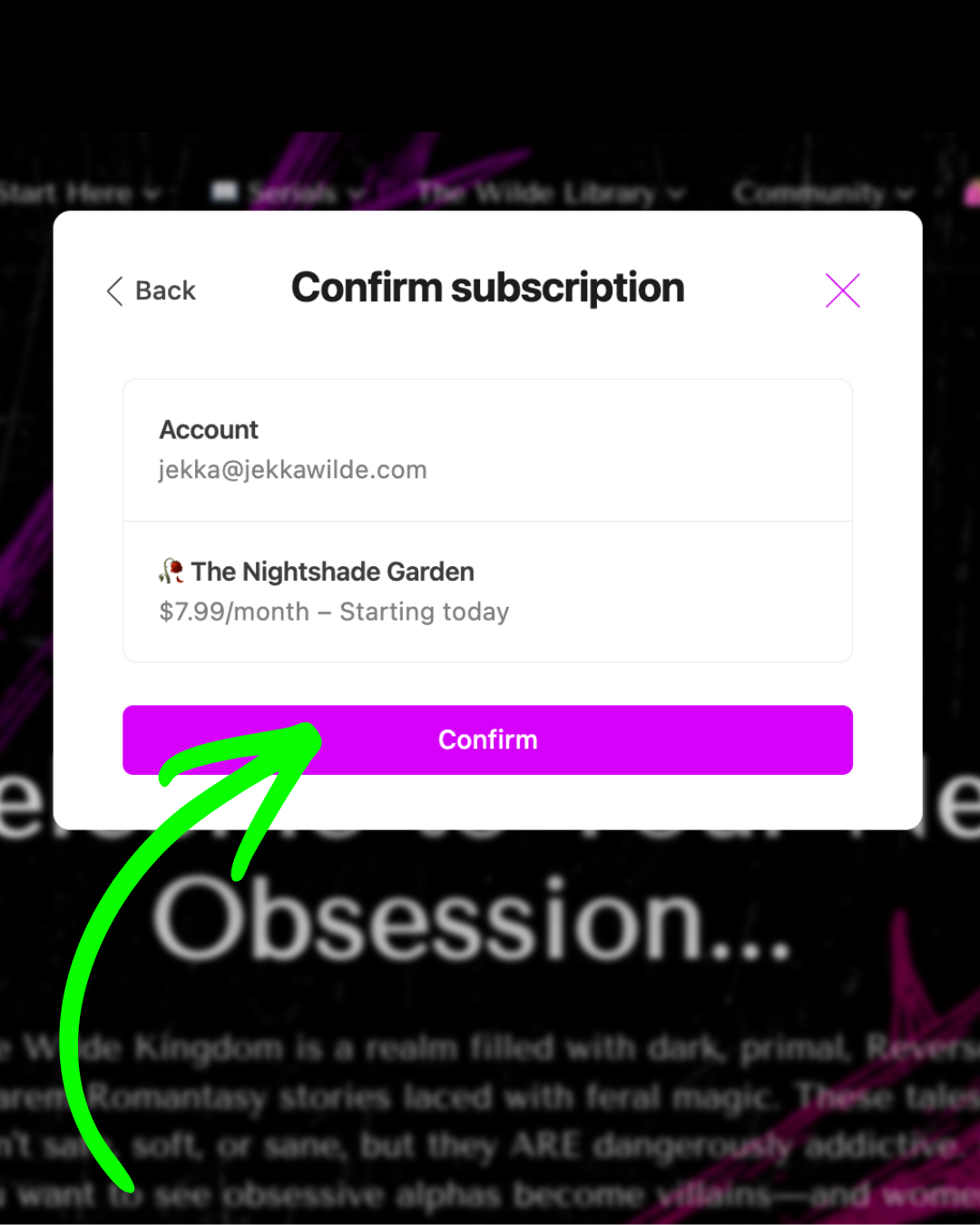
6. Click Confirm. Your new plan starts today.
To cancel your subscription (you'll still keep your free account!):
1. Go to thewildekingdom.com and sign in.
2. Click your profile picture, top right.
3. Click Account.
4. Scroll to Billing info & receipts, then click Update.
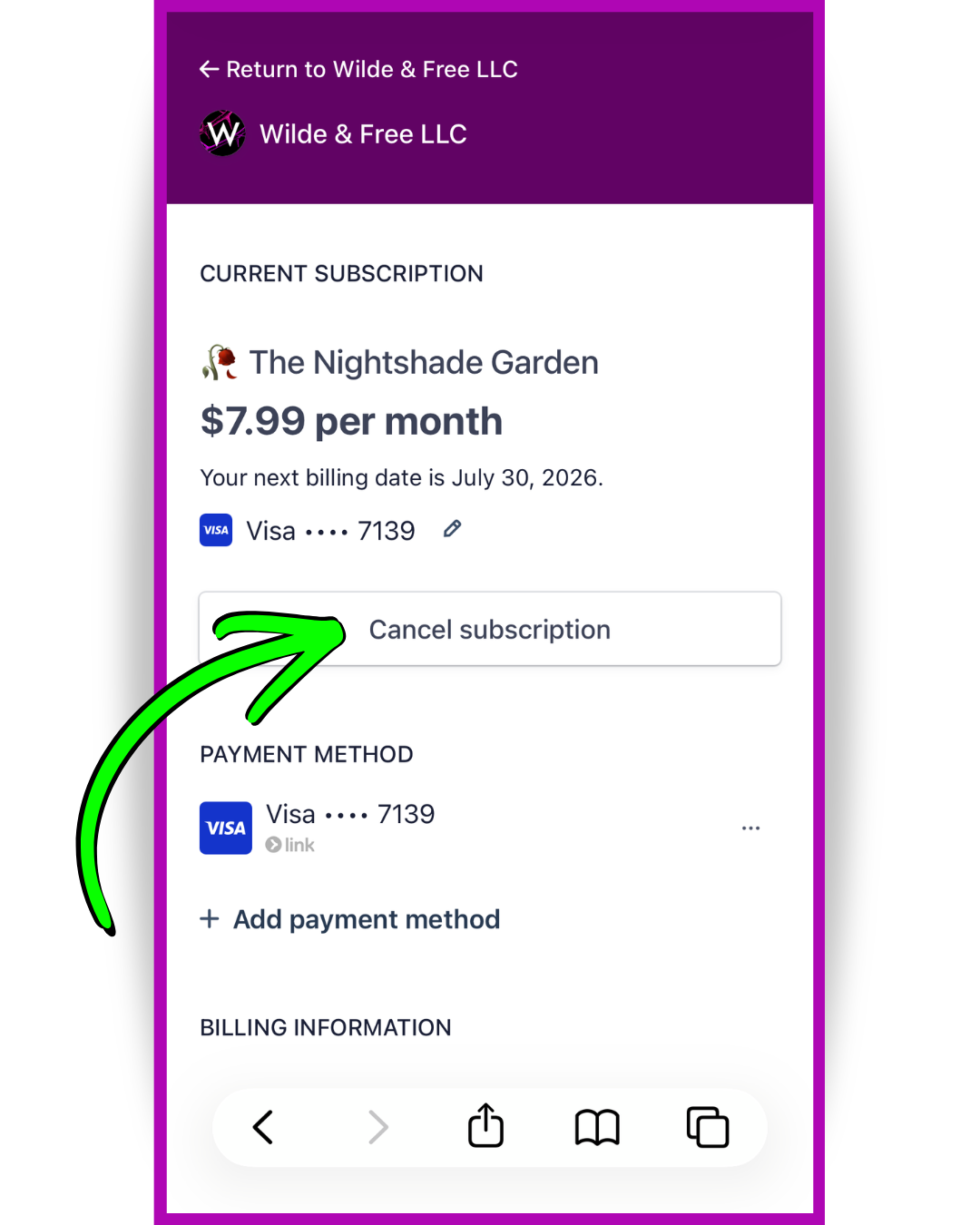
5. Click Cancel subscription.
6. Click Confirm cancellation.
The "reason" box is 100% optional. Leave it blank, or tell me the truth ("money's tight," "I got busy," "you killed my favorite and I'm not over it"). It only helps me make this place better. 😘
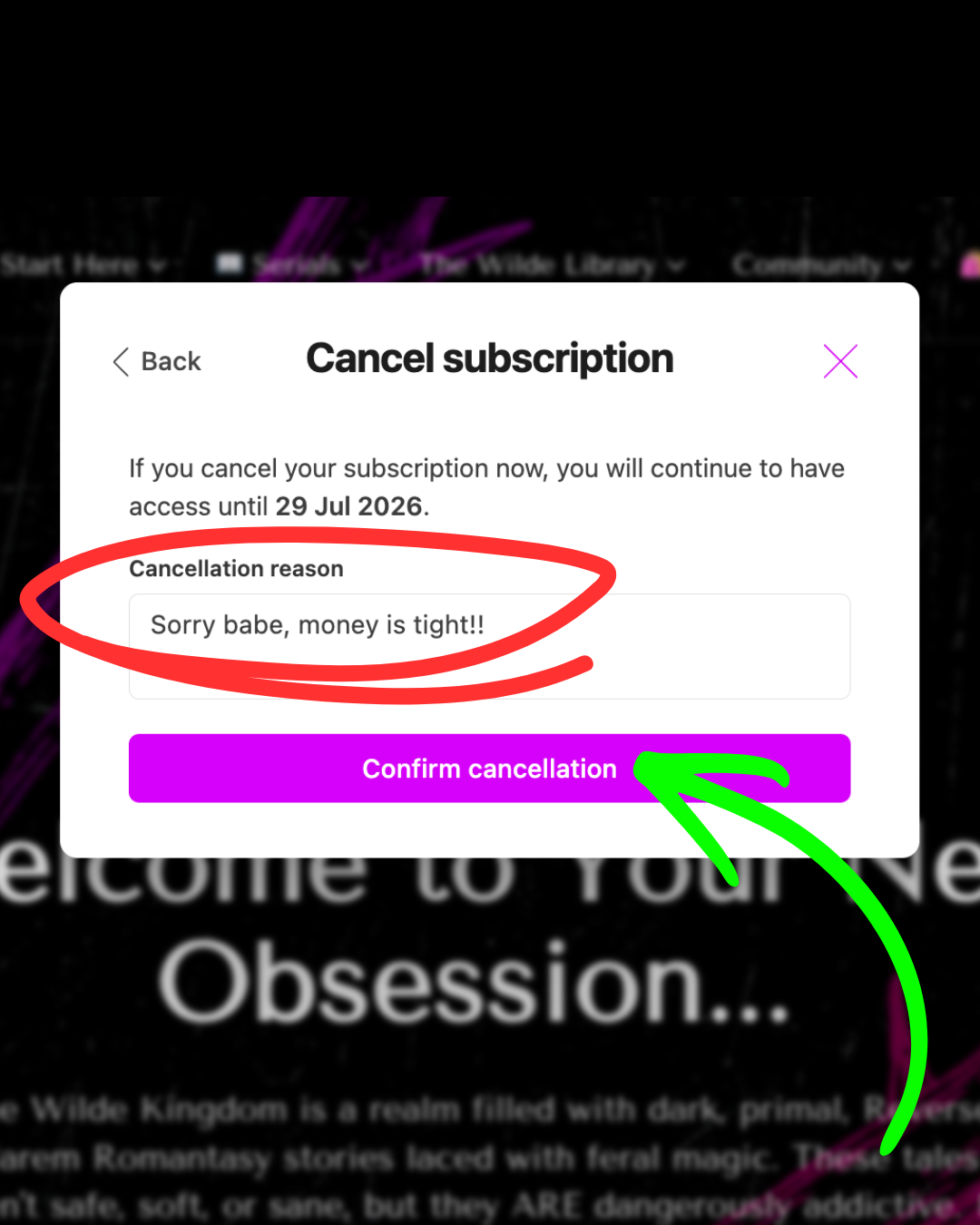
You keep access through the end of the period you've already paid for. Nothing vanishes the second you click. And you can come back whenever you want... the door doesn't lock behind you.
