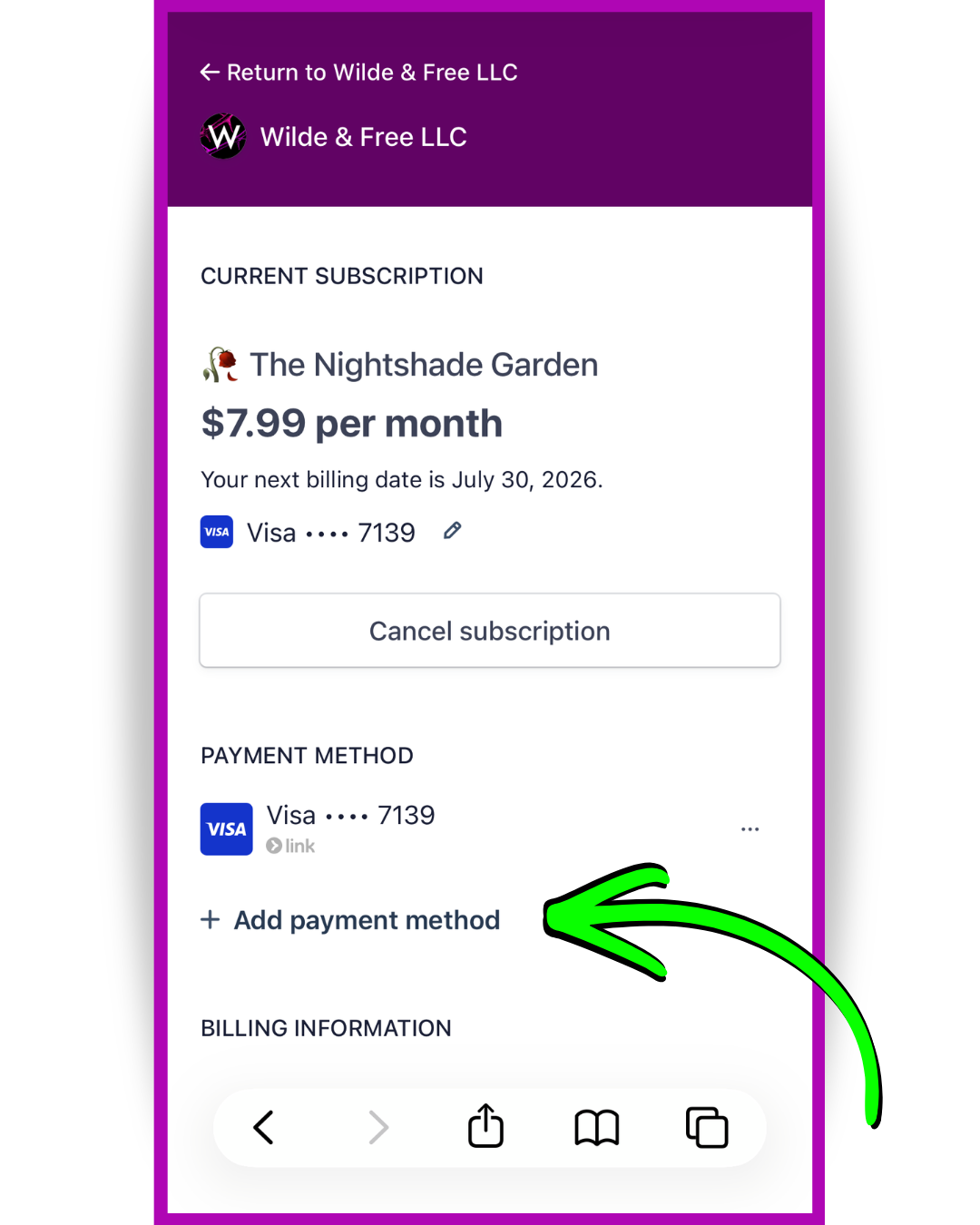
To update your payment method:
1. Go to thewildekingdom.com and sign in.
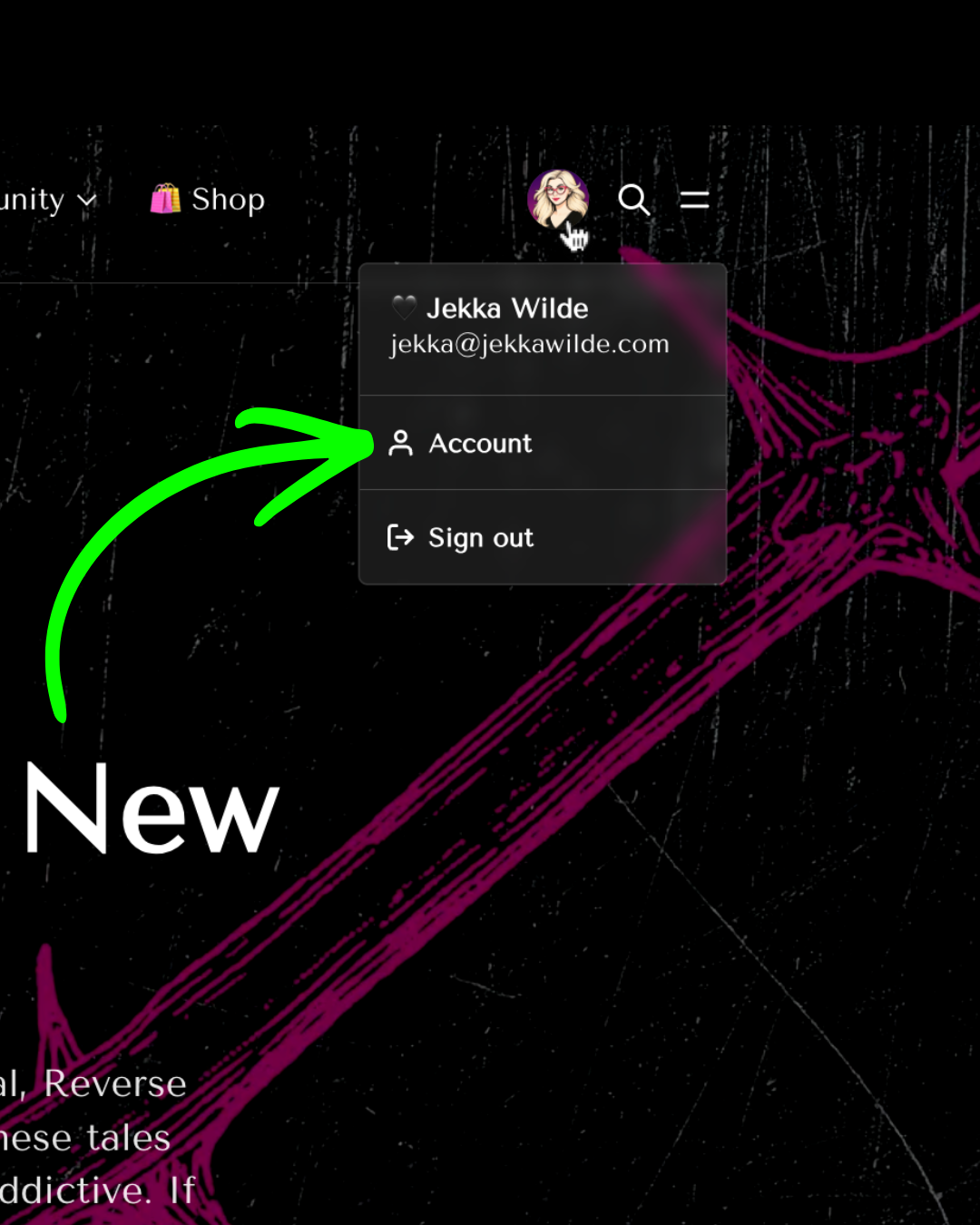
2. Click your profile picture, top right.
3. Click Account.
- Click Add payment method. You'll see options to enter new payment information, make one method a default, and to delete an old method.
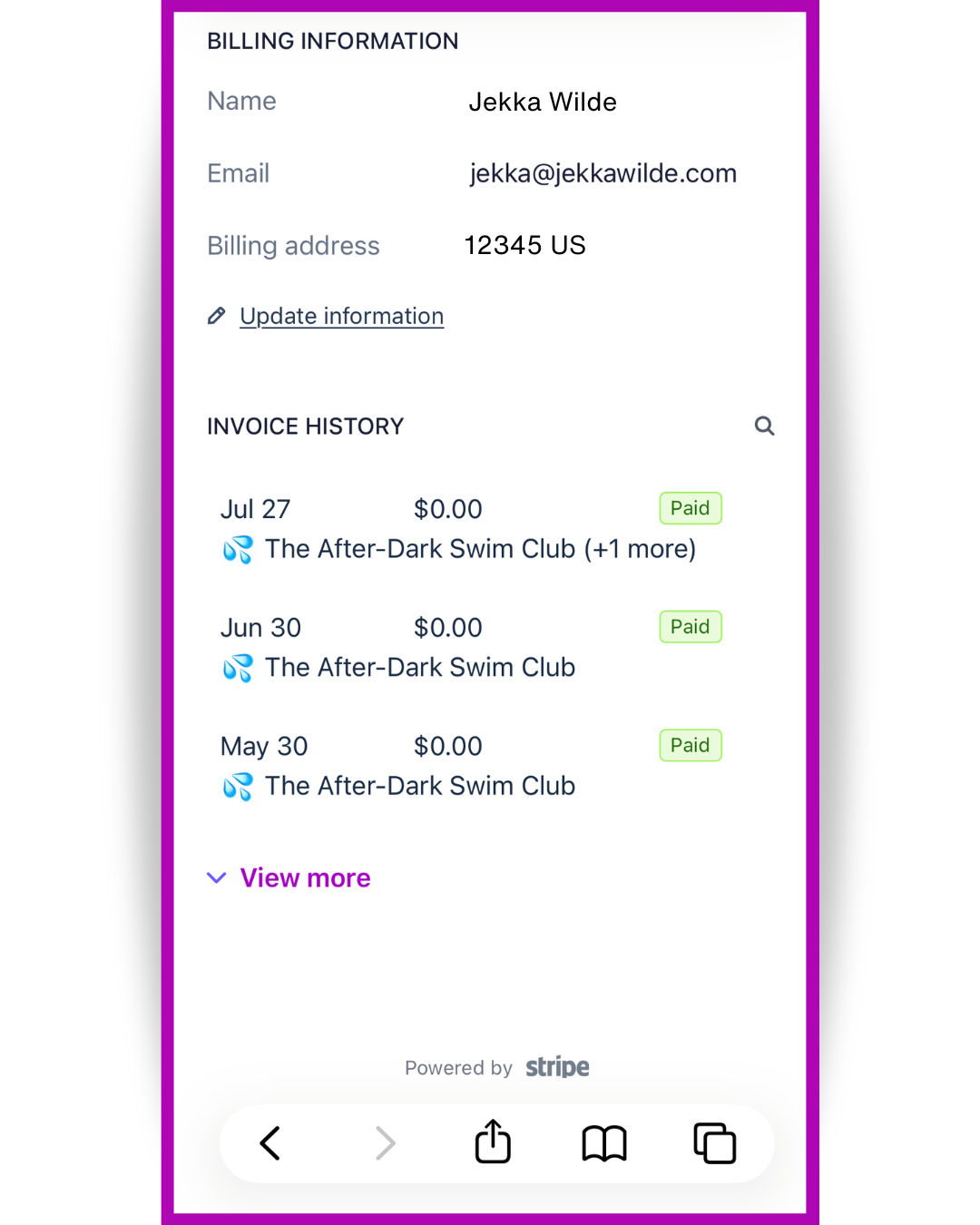
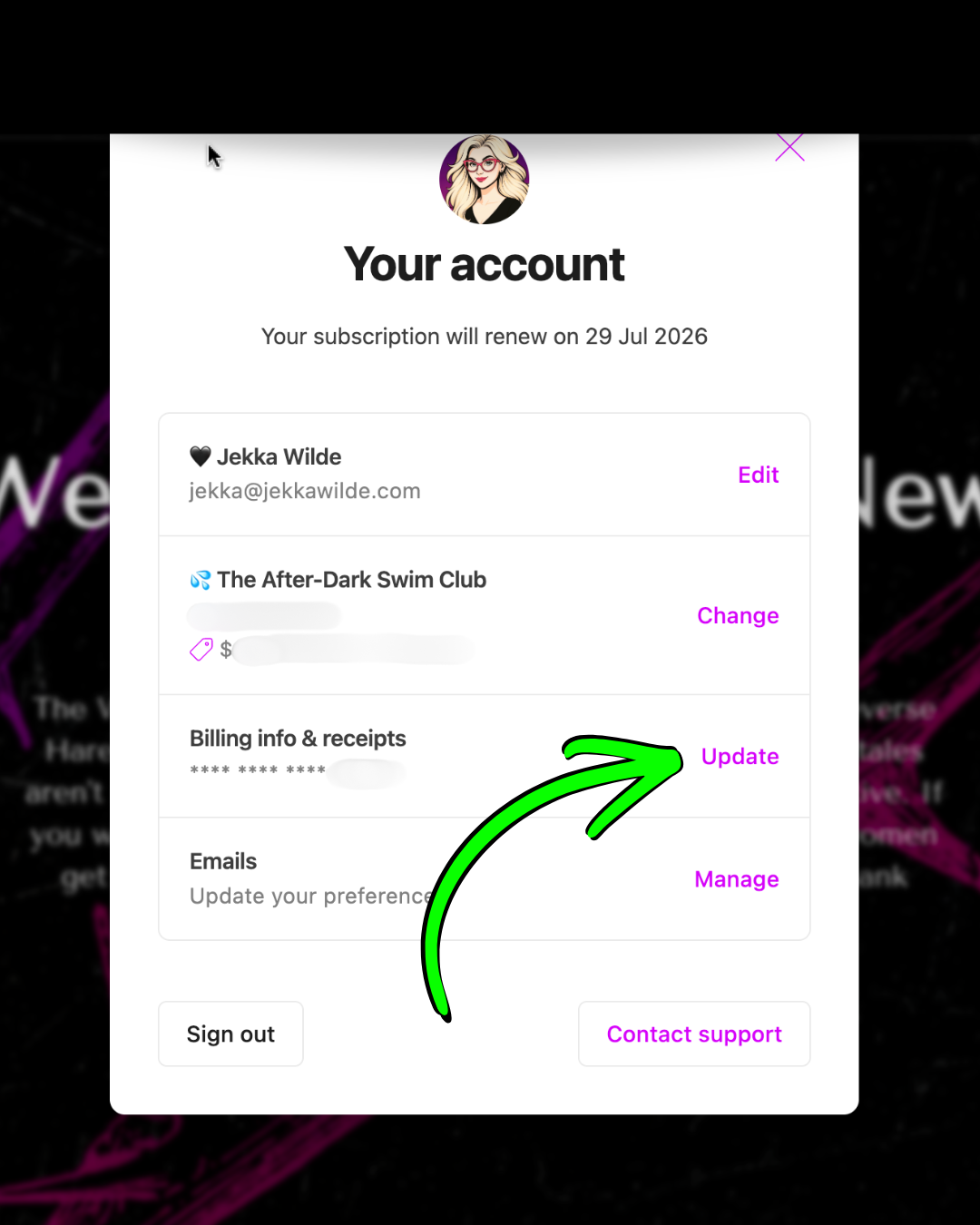
To view receipts & billing:
1. Sign into your account at thewildekingdom.com.
2. Click your profile picture, top right.
3. Click Account.
3. Scroll to Billing info & receipts, then click Update.
- Then just scroll down. Easy peasy!